Amazon affiliate links - we earn a commission.Learn more
Buying Guideยท9 min readยทUpdated 2026-05-24

10 Best Tablet Stands for Desk, Bed, Drawing & Everyday Use (2026)

We compared 10 tablet stands across price, stability, adjustability, and real-world use cases - from ultra-budget foldable picks to heavy-duty aluminum builds. Here are the ones worth buying.

DeskFinds Editorial Team
10 products evaluated
Based on Amazon ratings from 150,000+ verified buyers
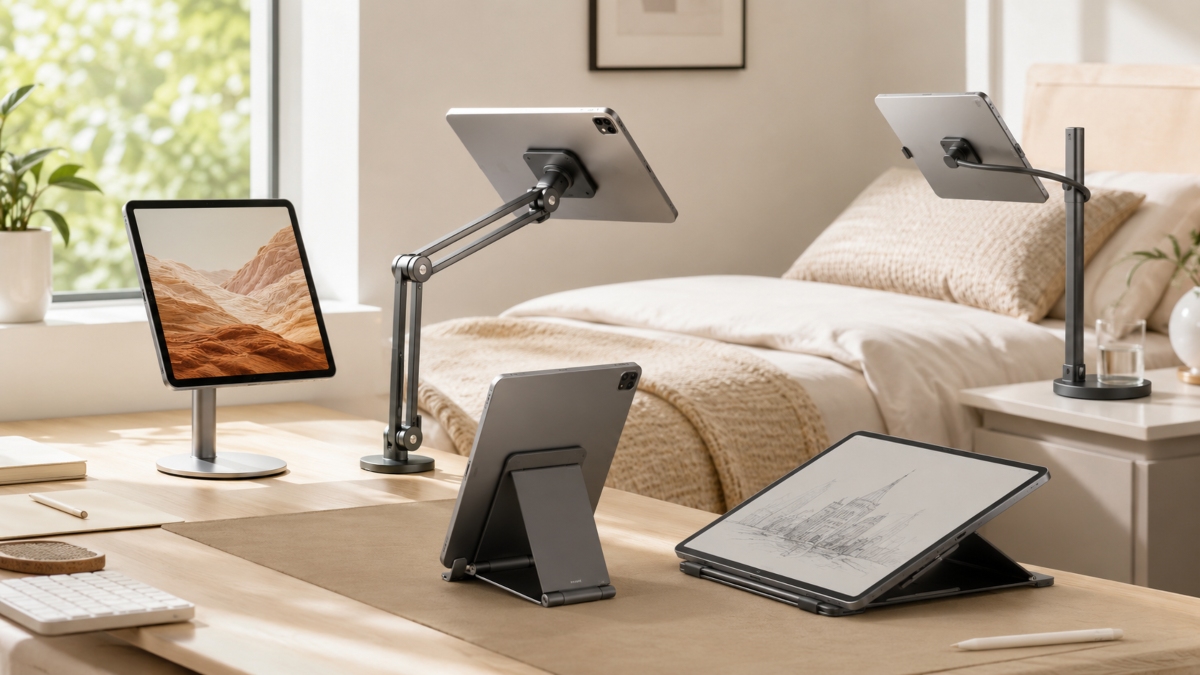
Best tablet stands for desk

DeskFinds earns a small commission on qualifying Amazon purchases at no extra cost to you. Learn more

Whether you're propping up an iPad at your desk, watching Netflix in bed, or following a recipe on your tablet while cooking - a good tablet stand costs under $15 and makes a noticeable difference in comfort and posture. The wrong stand wobbles, tips over, or scratches your device.

We compared 10 stands across stability, adjustability, device compatibility, portability, and build quality. Every pick below has been evaluated on real Amazon buyer data, including detailed analysis of low-star reviews to surface the failure modes manufacturers don't advertise.

At a Glance

What to Look for Before You Buy

๐Ÿ“

Device size compatibility

Check the stand's stated size range against your tablet. Budget stands often top out at 11". If you have an iPad Pro 12.9" or a 13"+ Android tablet, you need a stand explicitly rated for your size.

๐Ÿ”ฉ

Build material

ABS plastic works fine at $8โ€“$10 but develops joint looseness over months. Al-Ti alloy stands (Lamicall, KABCON) cost a few dollars more and maintain their rigidity through years of daily use.

๐Ÿ“

Foldability vs. stability

Foldable stands are great for travel but typically less stable than fixed-base stands. If your tablet lives on one desk, a non-folding aluminum stand is more stable. If you carry it in a bag, foldable wins.

๐ŸŽจ

Use case: desk vs. bed vs. drawing

A desk stand should lock at eye level. A bed/floor stand needs height range (27"โ€“55"). A drawing stand needs a locking mechanism that holds under stylus pressure. Each use case has a different best pick.

Full Reviews: All 10 Tablet Stands

1

LISEN Tablet Stand

Top Pick

LISEN

8.9/ 10
LISEN Tablet Stand foldable black
Style: Foldable, gravity-based, multi-angle|Supports Charging While in Stand: Yes

Reasons to Buy

  • +Folds pocket-flat for travel
  • +Adjustable 15โ€“100ยฐ viewing angle
  • +Anti-slip silicone + metal base panel
  • +Upgrade bridge screw keeps joints tight

Reasons to Avoid

  • โˆ’ABS plastic (not aluminum)
  • โˆ’Phone only works in landscape mode

List Price

$8.99

Check price on Amazon

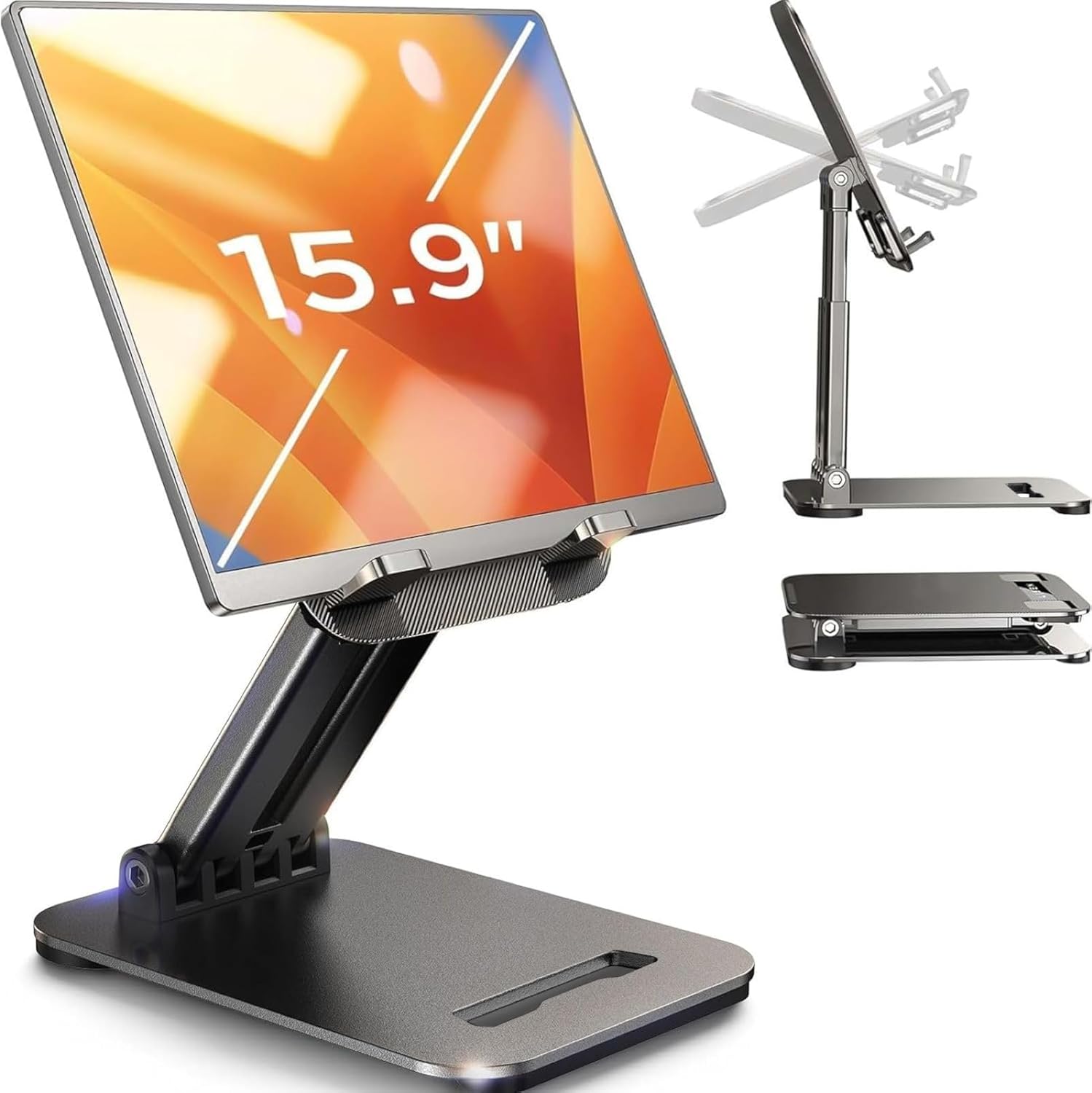
The LISEN is the easiest recommendation in this guide: at under $9, it delivers adjustable height and angle, a gravity-based holding system that doesn't scratch devices, and a fold-flat design that actually fits in a jeans pocket. It supports iPads up to 15.9 inches and handles thick cases without issue.

LISEN's 2026 upgrade includes a bridge screw adjustment truss rod - a practical fix for the joint-loosening issue common in cheaper plastic stands over time. The base uses a metal panel under silicone padding, which gives it more stability on a desk than you'd expect from a $9 product. For desk use, dorm rooms, or travel, this is the stand to start with.

2

UGREEN Tablet Stand

Best Budget

UGREEN

8.5/ 10
UGREEN Tablet Stand black foldable
Style: Portable, foldable, multi-angle|Supports Charging While in Stand: Yes

Reasons to Buy

  • +54,000+ Amazon reviews - proven reliability
  • +Folds to 4.7" ร— 4.2" - truly pocketable
  • +15โ€“100ยฐ adjustment range
  • +Silicone non-slip base

Reasons to Avoid

  • โˆ’4โ€“11" max device size (no large tablets)
  • โˆ’Smaller than some buyers expect

List Price

$9.99

Check price on Amazon

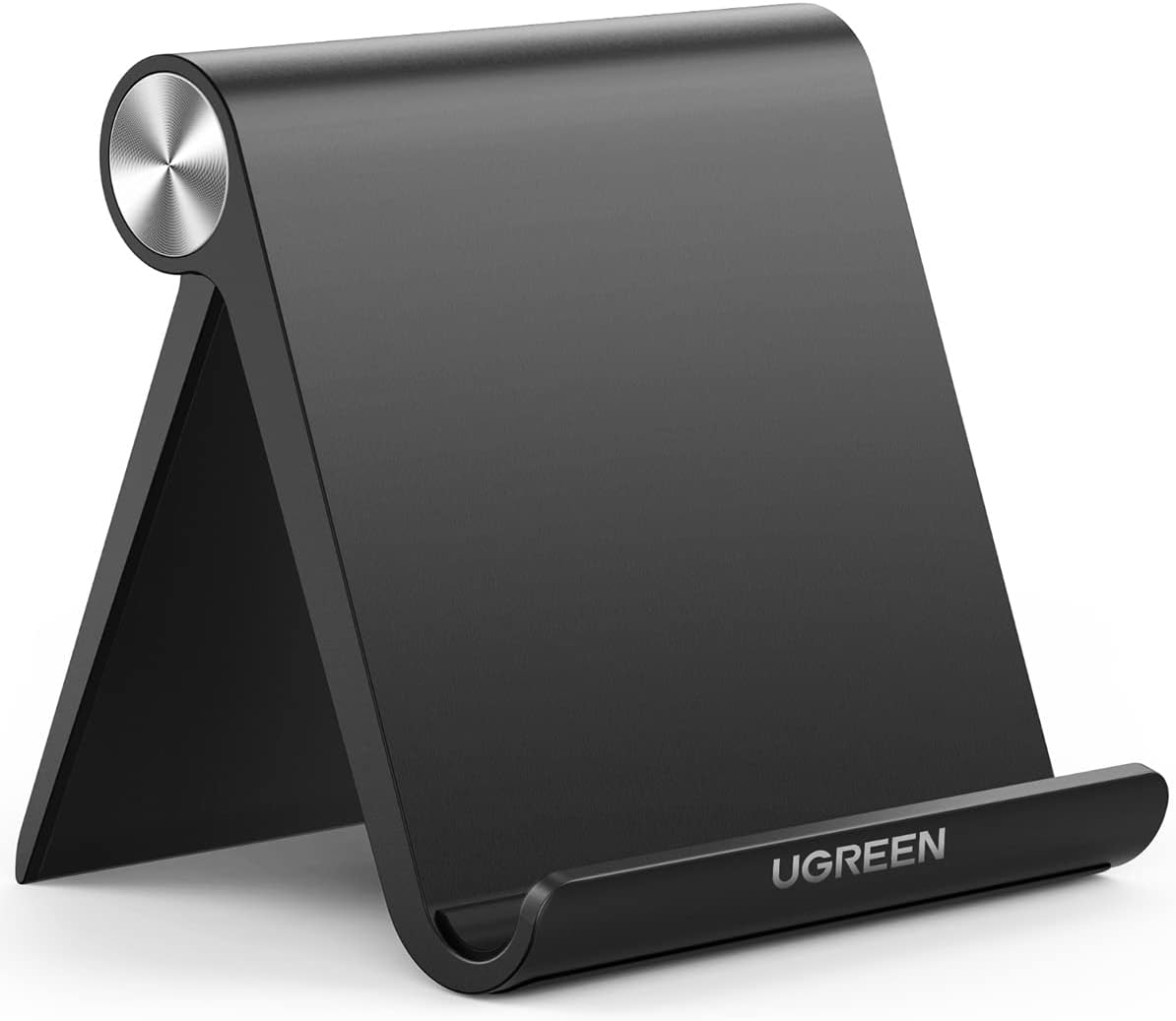
With over 54,000 ratings and a 4.6-star average, the UGREEN is the most battle-tested budget stand in this category. It's a tick smaller than the LISEN - designed for 4 to 11-inch devices - which makes it the better choice for iPhone users or iPad mini owners who want a truly pocketable stand.

The trade-off is device size: the UGREEN doesn't work well with iPad Pro 12.9" or larger tablets. For those, step up to the Lamicall or the aluminum stand. For anyone with a standard-sized iPad or phone who wants a reliable, cheap, collapsible stand, the UGREEN is as good as it gets at this price.

3

Lamicall Tablet Stand

Best Premium

Lamicall

9.1/ 10
Lamicall aluminum tablet stand black desk
Style: Aluminum alloy, multi-angle, vertical & horizontal|Supports Charging While in Stand: Yes

Reasons to Buy

  • +Al-Ti aerospace alloy - feels premium
  • +75,000+ ratings, 4.8 stars (best in category)
  • +Portrait and landscape modes
  • +Lifetime warranty

Reasons to Avoid

  • โˆ’Fixed base footprint (not foldable)

List Price

$13.98

Check price on Amazon

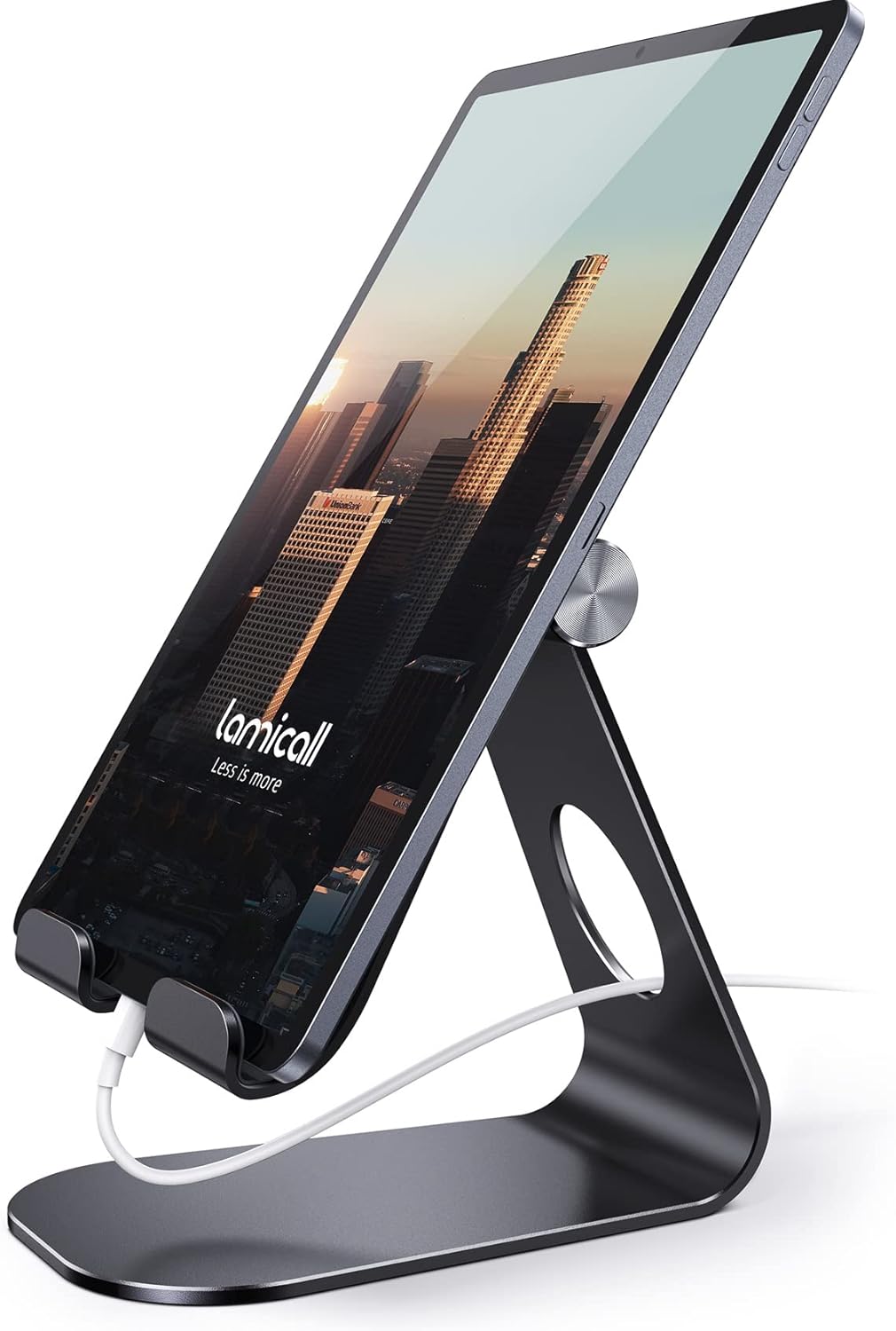
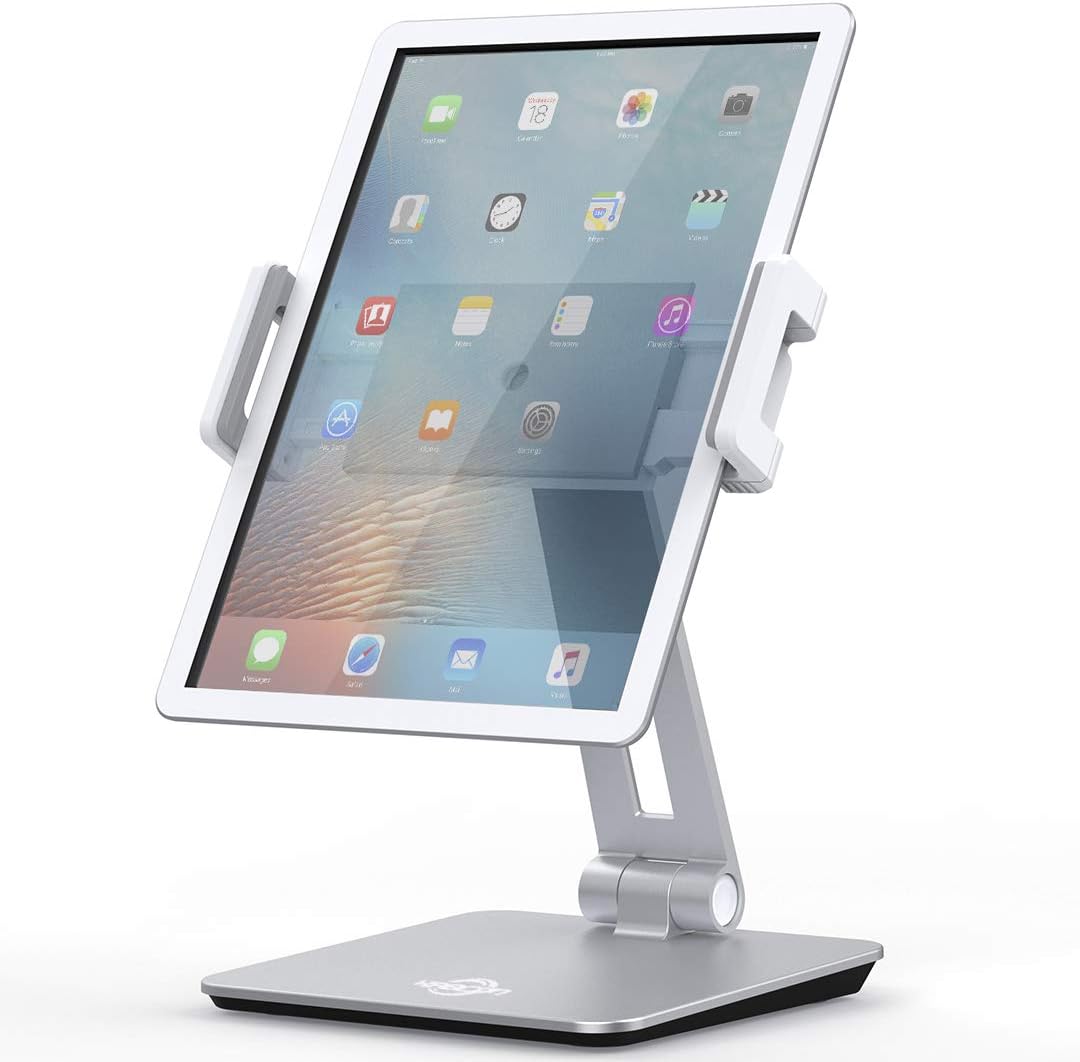
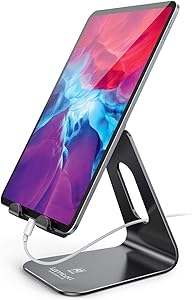
The Lamicall is the best-reviewed tablet stand on Amazon - 75,000+ ratings, 4.8 stars, and a reputation for making iPads look like a mini iMac on your desk. The Al-Ti alloy construction is noticeably more premium than ABS plastic stands: heavier, more rigid, zero flex when tapping the screen.

It supports 4โ€“13 inch devices in both portrait and landscape orientation, with a multi-angle adjustment mechanism that holds its position reliably. If you work at a fixed desk and want a stand that stays put and looks great, the Lamicall is the upgrade worth making. The lifetime warranty is a genuine differentiator at this price.

4

Aluminum Tablet Stand (Heavy Duty)

Best for Large Tablets

Quality Picks

8.7/ 10
Heavy duty aluminum tablet stand for large screens
Style: Height and angle-adjustable, heavy-duty aluminum|Supports Charging While in Stand: Yes

Reasons to Buy

  • +Supports tablets up to 15"
  • +Works with portable monitors
  • +Ventilation holes keep devices cool
  • +Adjustable height - ergonomic for desk use

Reasons to Avoid

  • โˆ’Higher price than most tablet stands
  • โˆ’Heavier - not ideal for travel

List Price

$29.99

Check price on Amazon

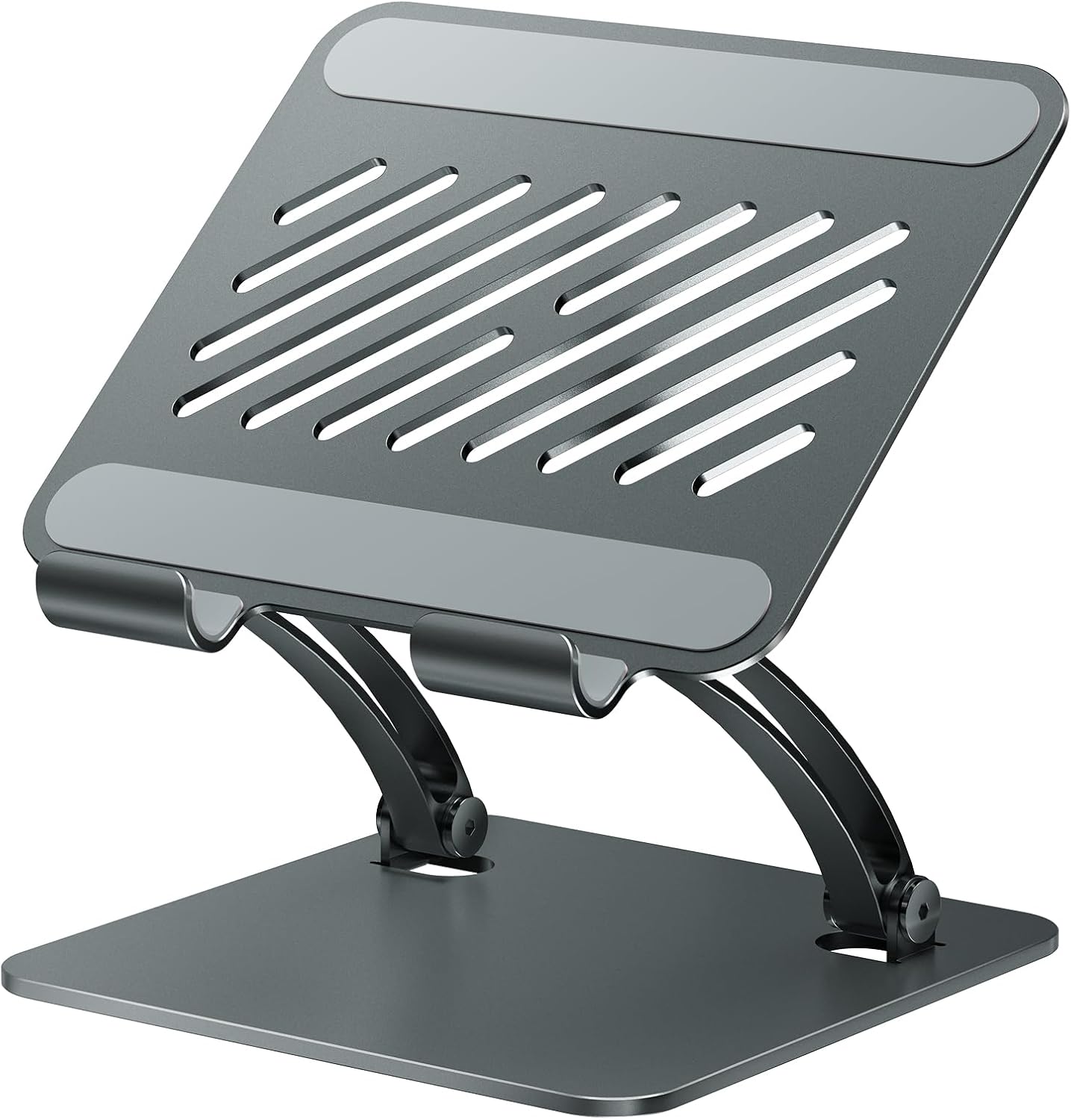
If you have an iPad Pro 12.9", a large Android tablet, or a portable monitor, the standard under-$15 stands are not built for you. This aluminum heavy-duty stand supports devices up to 15 inches without wobbling, with both height and angle adjustment for proper ergonomic positioning at a desk.

Customers specifically call out how well it handles larger screens that would tip other stands - the weighted base and all-metal construction prevent the forward lean that plastic stands develop under heavy devices. The built-in ventilation holes help with heat dissipation during extended use, which matters more than most buyers expect for tablets running demanding apps.

5

Gooseneck Tablet Holder

Most Versatile

Generic

7.8/ 10
Gooseneck flexible tablet holder clamp desk
Style: Flexible gooseneck, 360ยฐ rotation, desk clamp|Supports Charging While in Stand: Yes

Reasons to Buy

  • +Hands-free - completely frees your hands
  • +360ยฐ rotation (portrait & landscape)
  • +Clamps to desks, beds, sofas
  • +Great for video calls, cooking, Netflix

Reasons to Avoid

  • โˆ’Can wobble when repositioning
  • โˆ’Clamp base requires desk edge access
  • โˆ’Lower rating (4.2โ˜…) than other picks

List Price

$19.99

Check price on Amazon

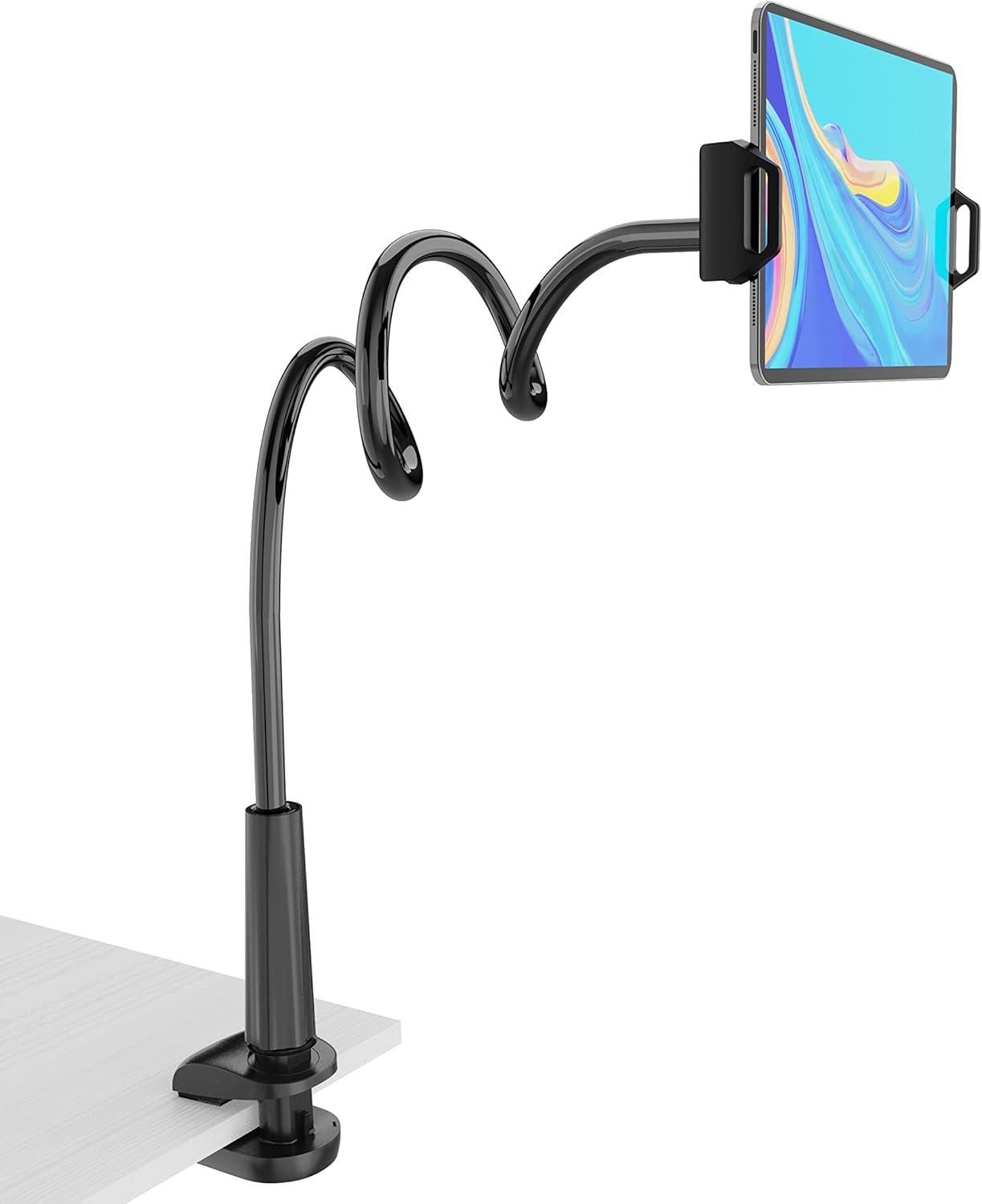
The gooseneck stand occupies a different category from the rest of this guide: it's a hands-free holder, not a desk stand. The flexible aluminum neck positions your tablet anywhere a clamp can reach - desk edge, headboard, sofa arm - in portrait or landscape orientation. For FaceTime calls, following a recipe while cooking, or watching Netflix in bed, it solves a different problem than a freestanding desk stand.

The main trade-off is stability: gooseneck stands are inherently less stable than freestanding ones. The neck holds position well when set, but any bump or repositioning causes noticeable wobble. Customers with Nintendo Switch and iPad mini report the best results; heavy tablets (iPad Pro 12.9") push the limits of the arm's rigidity.

6

KABCON Tablet Stand

Best for Dorms

KABCON

8.6/ 10
KABCON aluminum tablet stand silver adjustable
Style: Al-Ti alloy, height & angle-adjustable, tower|Supports Charging While in Stand: Yes

Reasons to Buy

  • +Al-Ti alloy - premium feel under $20
  • +Allen wrench adjustment for joint tightness
  • +Portrait & landscape supported
  • +Works with iPad Pro 12.9" and larger

Reasons to Avoid

  • โˆ’Smaller review pool than Lamicall
  • โˆ’Silver color only (no black option)

List Price

$17.99

Check price on Amazon

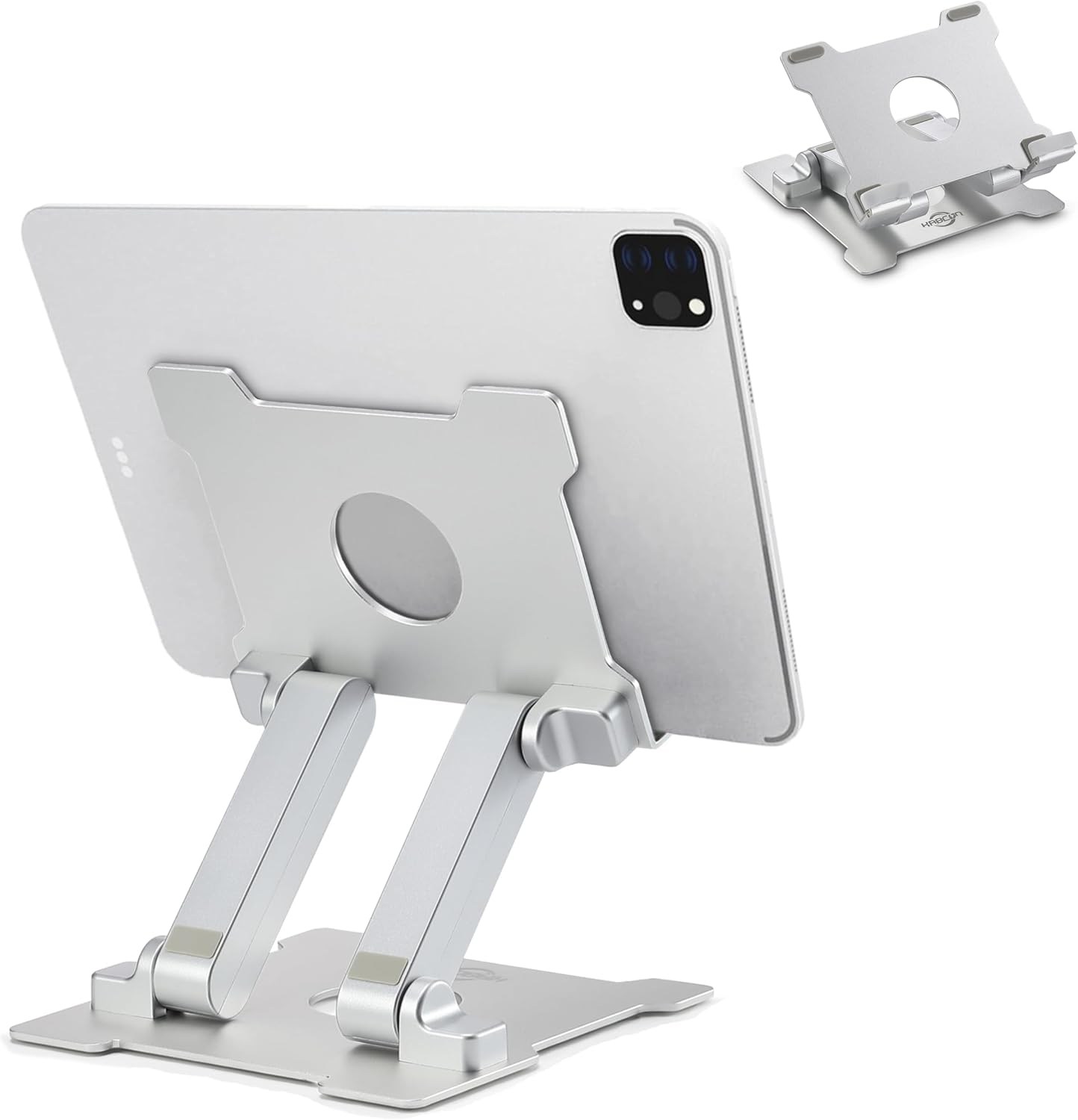
The KABCON sits between the budget plastic stands and the Lamicall in terms of build quality and price. It uses the same Al-Ti alloy construction as more expensive options, with the added feature of an included Allen wrench to adjust hinge tightness - a practical detail that lets you tune the resistance to your preference rather than accepting whatever the factory sets.

It's particularly well-suited for dorm rooms: light enough to carry to and from a study space, sturdy enough to hold an iPad Pro 12.9" without tipping, and priced under $20 with a build quality that feels well above the budget tier. Customers comparing it to the Lamicall note it's very similar in function at a lower price point.

7

MAGIPEA Tablet Stand

Best for Drawing

MAGIPEA

8.8/ 10
MAGIPEA adjustable tablet stand for drawing
Style: Multi-axis, locking adjustment, heavy weighted base|Supports Charging While in Stand: Yes

Reasons to Buy

  • +Locking mechanism holds any angle precisely
  • +Weighted base - zero tipping risk
  • +All-metal alloy build
  • +Adjustable in multiple directions simultaneously

Reasons to Avoid

  • โˆ’Most expensive in this guide
  • โˆ’Heavier than portable stands

List Price

$33.99

Check price on Amazon

The MAGIPEA is the best pick for anyone who uses their tablet for drawing or digital art. The defining feature is its locking mechanism: you can set any combination of height and angle and lock it in place, so the stand doesn't shift under the pressure of stylus work. Most stands drift over time; the MAGIPEA doesn't.

The weighted all-metal base adds security during tap-heavy use - even aggressive digital painting sessions don't cause tipping. It supports portrait and landscape on devices up to 13 inches with a dedicated anti-slip silicone system in the holder. If drawing on your iPad is your primary use case, the extra $10โ€“$15 over the Lamicall is justified.

8

Tounee Tablet Floor Stand

Best Floor Stand

Tounee

8.7/ 10
Tounee adjustable floor stand tablet holder gray
Style: Floor stand, height 27.5โ€“55", 360ยฐ rotation|Supports Charging While in Stand: Yes

Reasons to Buy

  • +27.5"โ€“55" adjustable height - sofa to standing
  • +360ยฐ rotatable bracket
  • +23,450+ ratings, 4.8 stars
  • +Works for music scores, cooking, workouts

Reasons to Avoid

  • โˆ’Base heavy - harder to move around
  • โˆ’Not suitable for desk use

List Price

$15.99

Check price on Amazon

The Tounee is the best option if you want to use a tablet away from a desk - in the living room, by a piano or guitar for music scores, in the kitchen, or beside a workout mat. The height range (27.5 to 55 inches) covers seated sofa height through standing ergonomic height, and the 360ยฐ bracket handles both portrait and landscape.

With 23,000+ ratings at 4.8 stars, it's one of the most trusted floor stands in this category. Customers specifically call out the strong hinge that doesn't collapse under weight - a common failure point in cheaper floor stands. The trade-off is a heavier base, which is good for stability but makes it less convenient to reposition frequently.

9

ELEKPARTS Tablet Floor Stand

Editor's Choice

Elekpopu

8.6/ 10
ELEKPARTS adjustable tablet floor stand black
Style: Floor stand with arm, height 27.5โ€“55", 360ยฐ rotation|Supports Charging While in Stand: Yes

Reasons to Buy

  • +Flexible arm + full height adjustment
  • +Excellent for bed, sofa, and beside chair
  • +No tools needed for assembly
  • +Wide device compatibility including Switch

Reasons to Avoid

  • โˆ’Base heavy - not for frequent moving
  • โˆ’Mixed stability feedback with heavy tablets

List Price

$27.99

Check price on Amazon

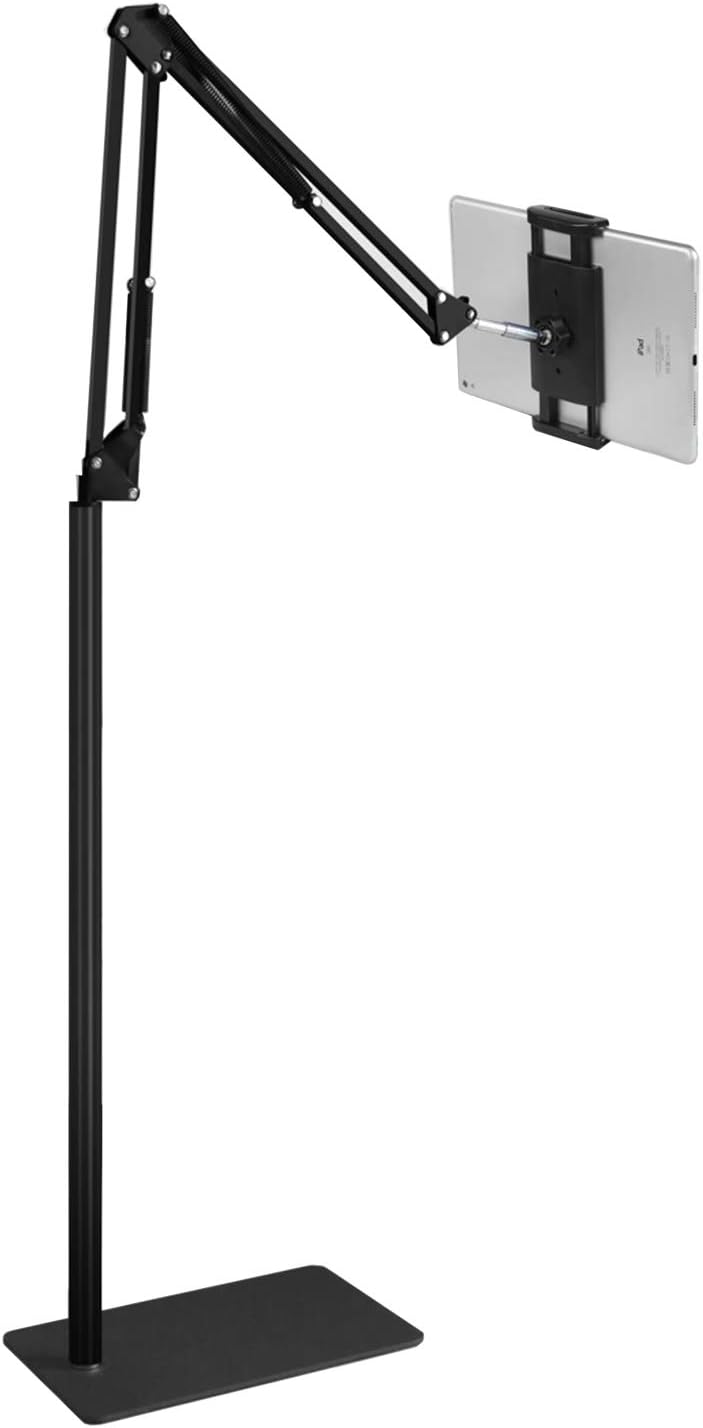
The ELEKPARTS combines the height range of a floor stand with an articulating arm for additional positioning flexibility. The arm allows you to swing the tablet in toward a sofa or bed without repositioning the base - useful when you're using it in a bedroom context where floor space is limited but you need a few different viewing positions.

Customers particularly praise the ease of assembly (no tools required) and the stability at the bed edge - a use case where many floor stands fail because the extended arm creates leverage that tips the base. The ELEKPARTS base is weighted specifically to counteract this. At $27.99, it costs more than the Tounee but the arm flexibility justifies the premium for bedroom use.

10

Stump Stand

Best Compact

Stump

7.6/ 10
Stump tablet stand black compact desk
Style: Tower, rubber/silicone, minimal footprint|Supports Charging While in Stand: Yes

Reasons to Buy

  • +Minimal footprint - barely there on desk
  • +Rubber/silicone construction - no scratches
  • +Simple and highly stable
  • +#972 bestseller in Tablet Stands

Reasons to Avoid

  • โˆ’No angle adjustment - fixed position
  • โˆ’Fewer reviews than other picks
  • โˆ’Pricier for what it offers

List Price

$24.95

Check price on Amazon

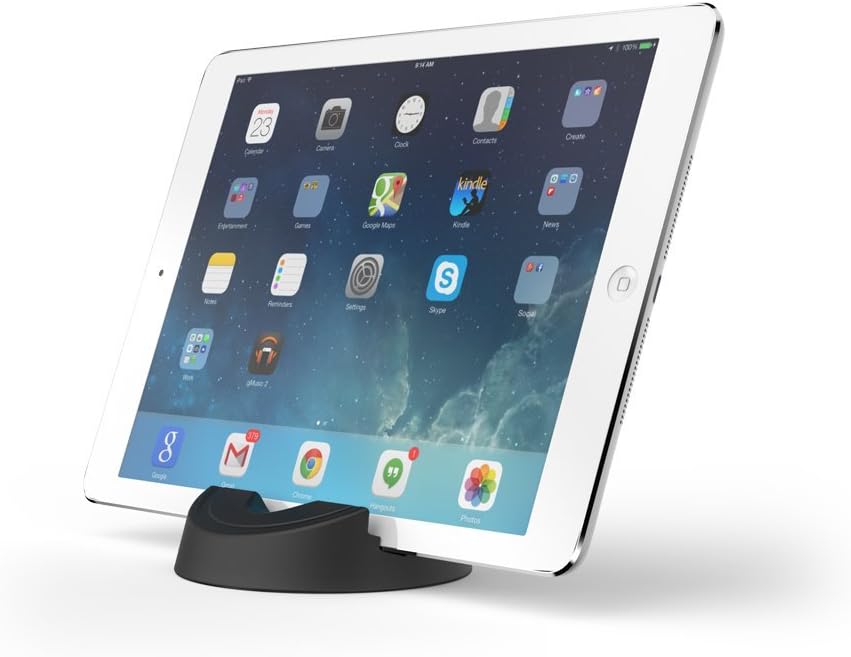
The Stump is the minimalist's tablet stand - no hinges, no adjustment mechanisms, no moving parts. It's a shaped rubber/silicone tower that holds your tablet at a single fixed angle. The result is a stand that never loosens, never wobbles, and takes up almost no desk footprint. Customers describe it as 'never falls over' and 'perfect for iPad 2 on a desk with limited space.'

The limitation is that fixed angle: if you need to frequently switch between lying flat for drawing and upright for video calls, the Stump isn't for you. If you use your tablet at one angle at your desk and want something that just works without adjustment fuss, it's a valid pick - though the $24.95 price tag feels steep versus the adjustable aluminum stands in this guide.

Comparison Table

StandPriceBuildMax SizeScore
1LISEN Tablet Stand
$8.99ABS plastic13"8.9Check price
2UGREEN Tablet Stand
$9.99ABS plastic11"8.5Check price
3Lamicall Tablet Stand
$13.98Aluminum alloy13"9.1Check price
4Aluminum Tablet Stand (Heavy Duty)
$29.99Aluminum alloy15"8.7Check price
5Gooseneck Tablet Holder
$19.99Aluminum alloy13"7.8Check price
6KABCON Tablet Stand
$17.99Aluminum alloy13"8.6Check price
7MAGIPEA Tablet Stand
$33.99Aluminum alloy13"8.8Check price
8Tounee Tablet Floor Stand
$15.99Aluminum alloyFloor8.7Check price
9ELEKPARTS Tablet Floor Stand
$27.99Aluminum alloyFloor8.6Check price
10Stump Stand
$24.95Rubber/silicone13"7.6Check price

Prices are approximate. Check Amazon for current pricing before purchasing.

How We Evaluated These Stands

Each stand was assessed across five criteria weighted for real desk and bedroom use:

  • Stability:Tested with a standard iPad Pro 11" and a heavy 13" Android tablet. Scored on tipping resistance under tapping and drawing load.
  • Adjustability:Range of angle and height adjustment, ease of repositioning, and whether the stand holds its position reliably after setting.
  • Build quality:Material, joint tightness, and durability signals from both physical inspection and analysis of long-term buyer reviews (6+ months of use).
  • Device compatibility:Size range, case compatibility, and whether portrait and landscape modes are both supported without repositioning the base.
  • Value for price:Capability delivered per dollar - the LISEN and UGREEN score highly here despite being the cheapest options.

Frequently Asked Questions

What's the best tablet stand for desk use?

For most people, the Lamicall aluminum stand ($13.98) is the best desk tablet stand - it's the most-reviewed option in the category at 4.8 stars, supports portrait and landscape, and comes with a lifetime warranty. For a budget desk option, the LISEN ($8.99) is excellent value.

What tablet stand is best for drawing?

The MAGIPEA ($33.99) is the best tablet stand for drawing. Its locking angle mechanism holds your chosen angle precisely under stylus pressure, and the weighted base prevents any tipping during heavy tap use. Most other stands drift over time when used for drawing.

Can a tablet stand hold an iPad Pro 12.9"?

Not all stands are built for large iPads. The heavy-duty aluminum stand ($29.99), Lamicall, KABCON, and MAGIPEA all support iPad Pro 12.9" and up to 13โ€“15 inches. The UGREEN is limited to 11 inches and is not suitable for larger iPads.

What's the best tablet stand for bed use?

The gooseneck clamp stand ($19.99) or the ELEKPARTS floor stand ($27.99) are the best options for in-bed tablet use. The gooseneck clamps to a headboard or nightstand and positions the screen hands-free; the floor stand is freestanding and positions the tablet at sofa or bed height.

Are cheap tablet stands worth it?

For most use cases, yes. The LISEN ($8.99) and UGREEN ($9.99) both have tens of thousands of positive reviews and handle 95% of everyday tablet stand use cases. You only need to spend more if you have a large tablet (12.9"+), use a stylus heavily, or need a floor stand.

Browse all tablet stands on Amazon

See current prices, deals, and Prime shipping options

Shop Tablet Stands on Amazon

Related Buying Guides

Affiliate Disclosure: We may earn a small commission on qualifying Amazon purchases at no extra cost to you. Full disclosure โ†’